eBook layout
This tab contains all the layout options for eBooks.
OpenComic supports both reflowable and fixed-layout EPUB files, including EPUBs that use right-to-left or vertical reading directions.
EPUB features
- Fixed-layout EPUB support.
- Right-to-left EPUB support.
- Vertical EPUB support.
- Option to force left-to-right reading when you want to override the book direction.
- Text selection support.
- Clickable link support.
- Option to extract document images for workflows that need page images instead of the EPUB container.
Rendered EPUB files are cached to improve loading performance when reopening the same book.
If you want to use the AI Tools with an EPUB, extracting document images is required because the AI workflow operates on images.
Options
This is the list of all available options in the eBook layout tab and their descriptions.
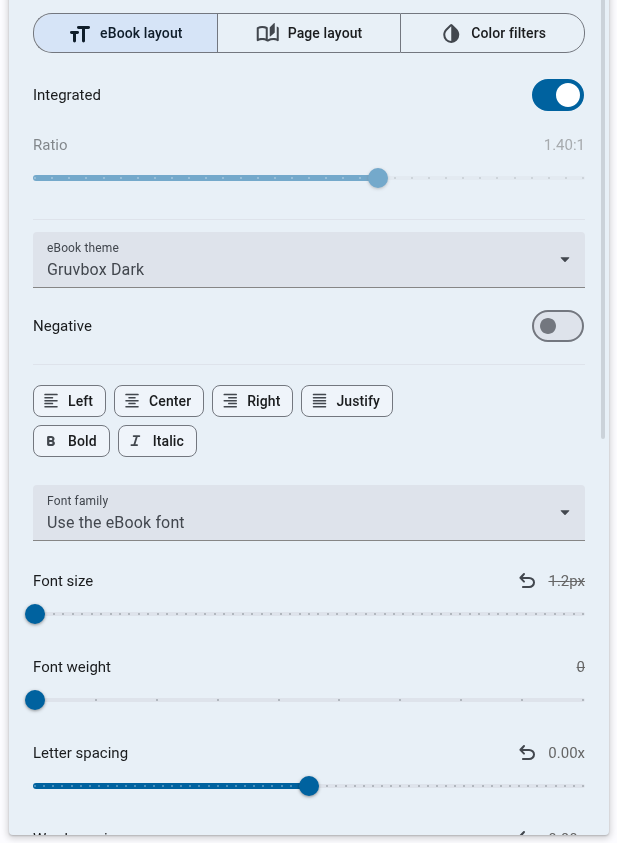
Integrated
When this option is enabled, the page will occupy all the available screen space. If disabled, it will be displayed similarly to how images and PDFs are shown.
Ratio
Controls the aspect ratio of the page if Integrated mode is disabled.
eBook theme
Chose the theme for the eBook.
- eBook theme (Keep the theme of the eBook)
- App theme (Use the current theme of the app)
- Sepia
- Gruvbox
- Gruvbox Dark
- Solarized
- Solarized Dark
- Nord
- Zenburn
Negative
Apply a negative filter (Inverts the color and rotate hue by 180 degrees).
Align and Format
Force a specific alignment for the text in the eBook.
- Left
- Right
- Center
- Justify
Forces a specific formatting for the text in the eBook.
- Bold
- Italic
Font family
Chooses the specific font family. All system-installed fonts can be used. To install a new font, you must also install it on the system and restart OpenComic.
Font size
Adjusts the font size of font.
Font weight
Sets the thickness of the text characters.
Letter spacing
Controls the space between individual letters.
Word spacing
Adjusts the space between words.
Max width
Limits the maximum width the text can occupy.
Horizontal margin
Sets the margin on the left and right sides of the page.
Vertical margin
Sets the margin on the top and bottom of the page.
Line height
Determines the vertical spacing between lines of text.
Paragraph line height
Specifies the line spacing specifically within paragraphs.
Paragraph spacing
Controls the amount of space before and after paragraphs.