Guided View
Guided View changes the reading flow from full-page navigation to panel-by-panel navigation.
Instead of advancing directly to the next page, OpenComic focuses on smaller reading areas so you can move through the comic in a more directed way.
How it works
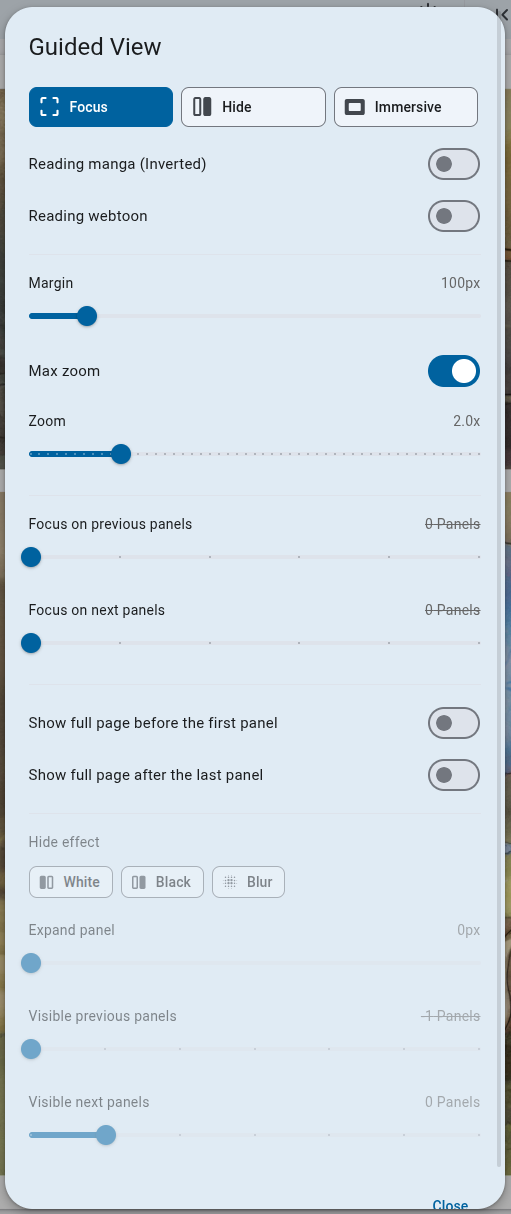
OpenComic automatically detects the panels on the page. There are 3 navigation modes:
- Focus: Focuses on the panel, does not hide the rest of the page.
- Hide: Can hide the next and previous panels, showing only the current panel.
- Immersive: Hides everything and shows only the current panel, with a black background.
There are also other configurable options.
Example of the different navigation modes
Focus
Hide
Hide (Blur)
Immersive
AudioManga integration
Guided View works particularly well with Music setups that use AudioManga sfx metadata.
In that case, sound effects can be triggered automatically while moving through the guided sequence, instead of requiring a manual press on the panel.